
Your ChatGPT or Claude AI Memory
Portable, safe, and all yours
How to Export Your Gemini Conversations for Memory Forge
Google's export process for Gemini is a bit unintuitive — your chat history isn't where you'd expect it to be. This guide will walk you through it step by step.
The Short Version
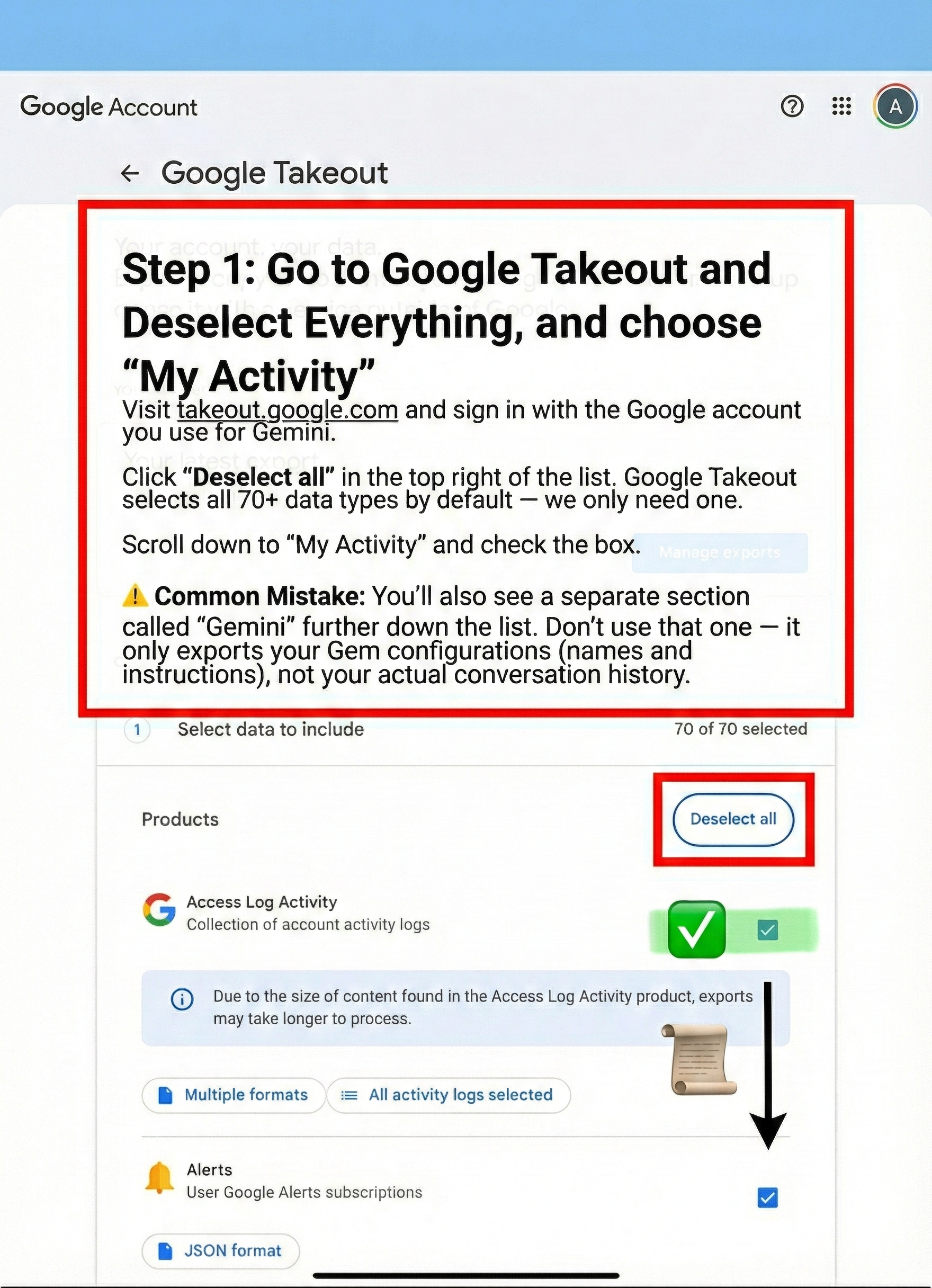
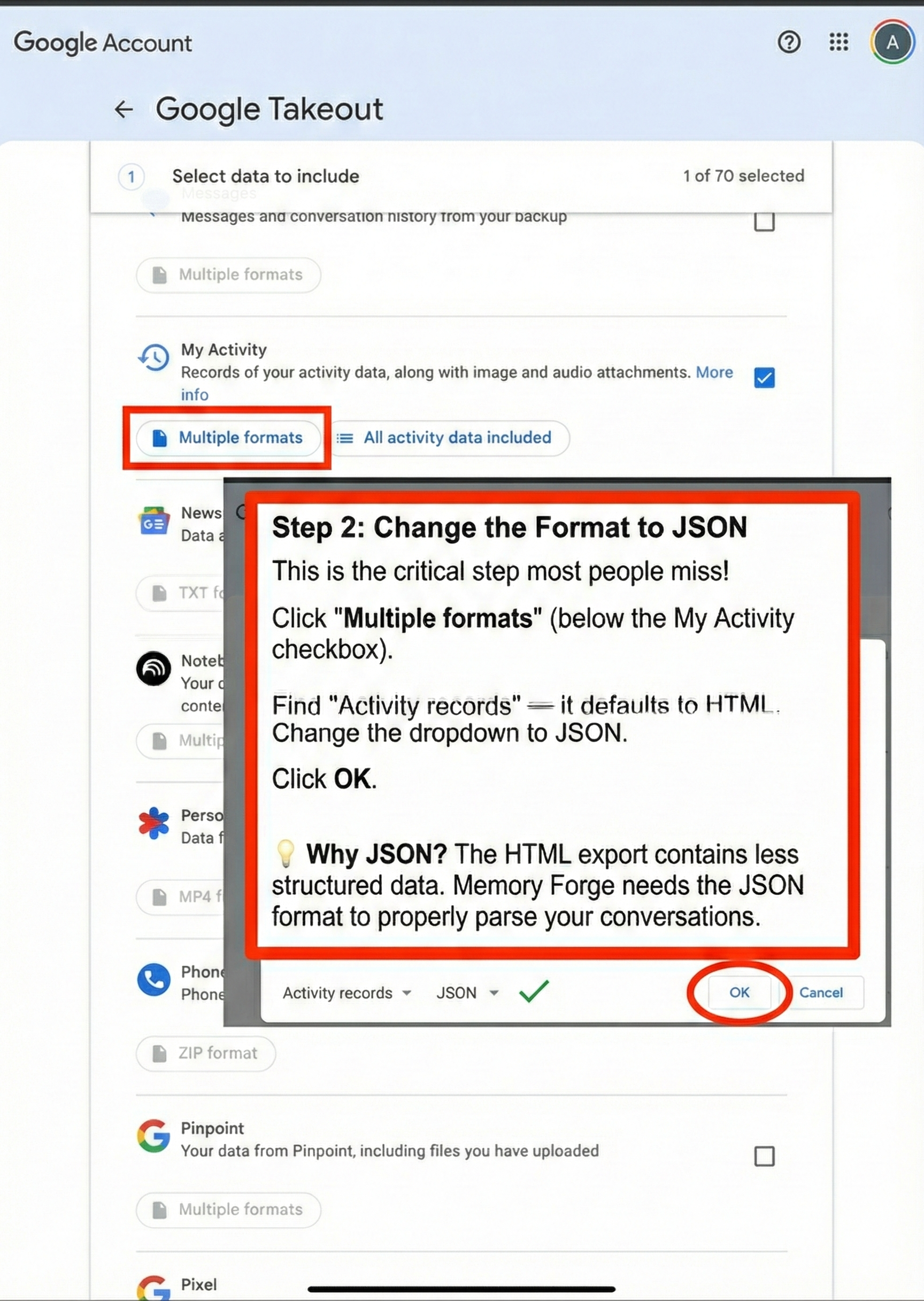
Your Gemini conversations live under My Activity, not the "Gemini" section. You'll need to export them as JSON (not the default HTML format).
Before You Start
What you'll need:
Access to takeout.google.com
The Google account you use for Gemini
5-10 minutes (export processing can take longer)
What you'll get:
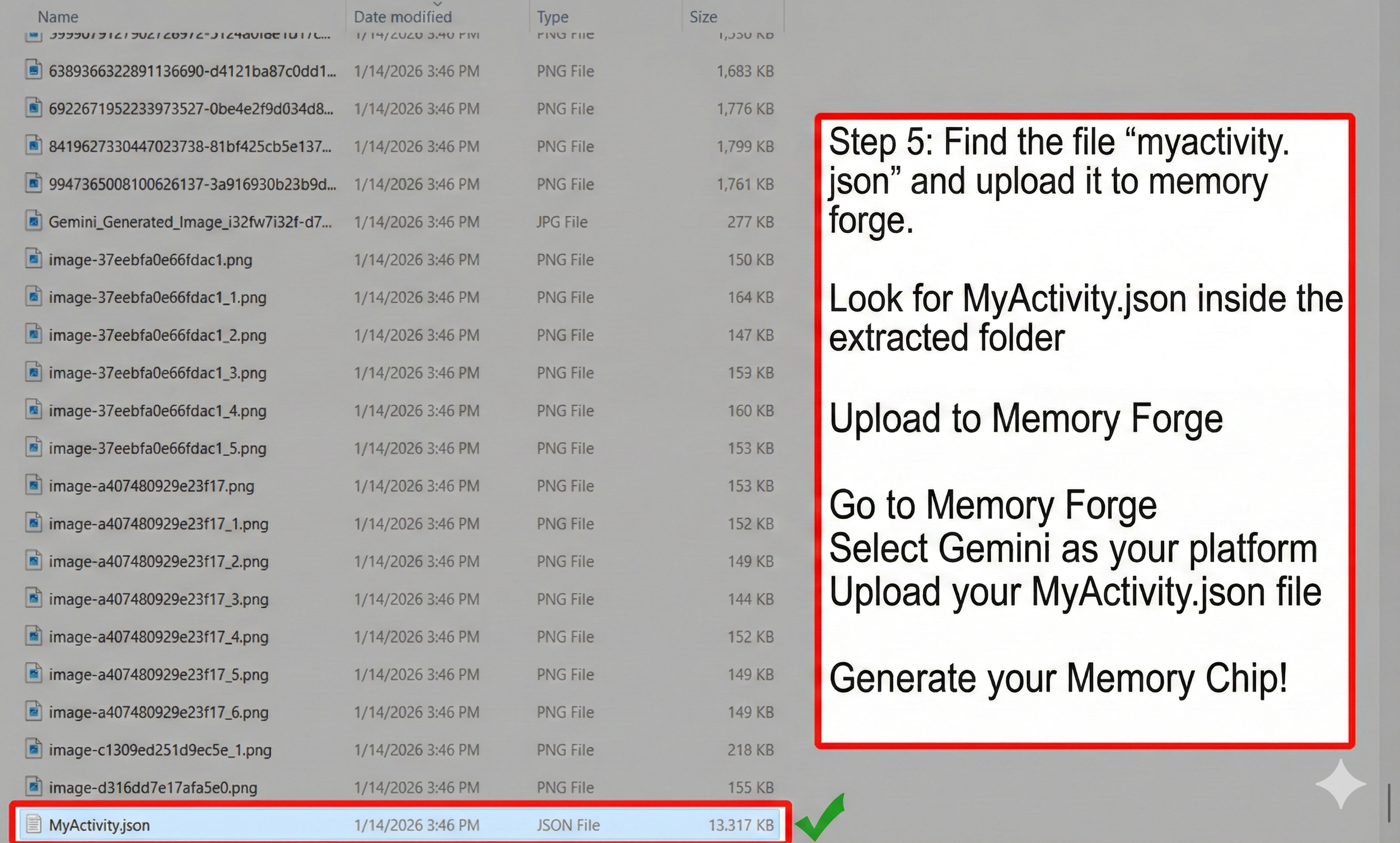
A file called
MyActivity.jsoncontaining your Gemini chat historyThis file works with Memory Forge's Gemini import option
Troubleshooting
"I can't find MyActivity.json in my export"
Make sure you selected "My Activity" (not "Gemini") and changed the format to JSON in Step 4. If you exported as HTML, you'll see HTML files instead — you'll need to run the export again with JSON selected.
"My export is empty or very small"
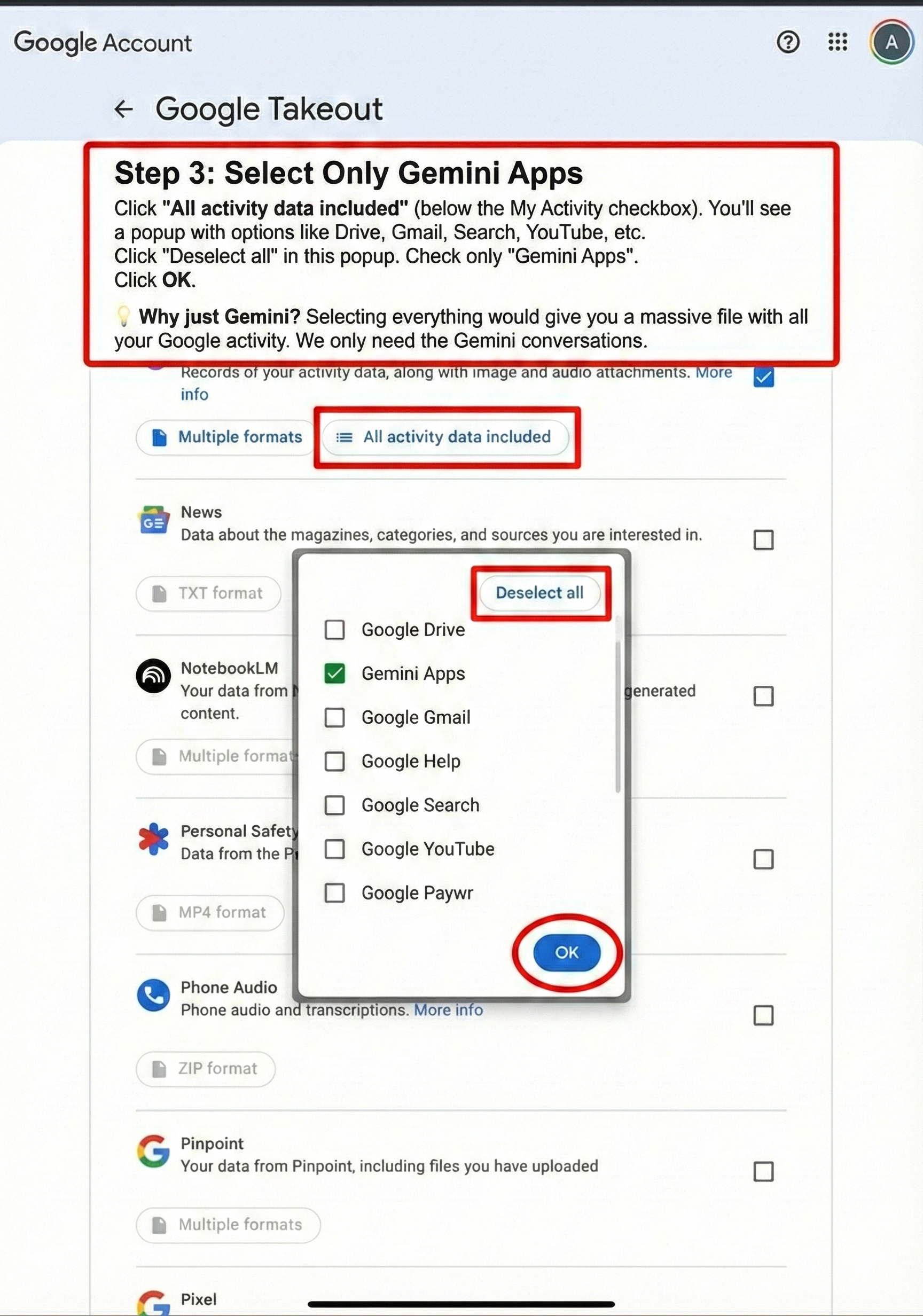
Double-check that you selected "Gemini Apps" in the activity content options (Step 5). If Gemini Apps wasn't checked, your conversations won't be included.
"Memory Forge gives me an error when I upload"
Verify you're uploading MyActivity.json specifically, not a different file from the export. Also confirm the file isn't corrupted — try opening it in a text editor to make sure it contains readable data.
"I don't see Gemini Apps in the activity options"
This can happen if you haven't used Gemini with this Google account, or if Gemini activity saving is disabled in your Google account settings. Check your Gemini Apps Activity settings to verify activity is being saved.
Quick Reference Checklist
[ ] Go to takeout.google.com
[ ] Click "Deselect all"
[ ] Check "My Activity" (NOT the separate "Gemini" section)
[ ] Click "Multiple formats" → Change Activity records to JSON
[ ] Click "All activity data included" → Select only "Gemini Apps"
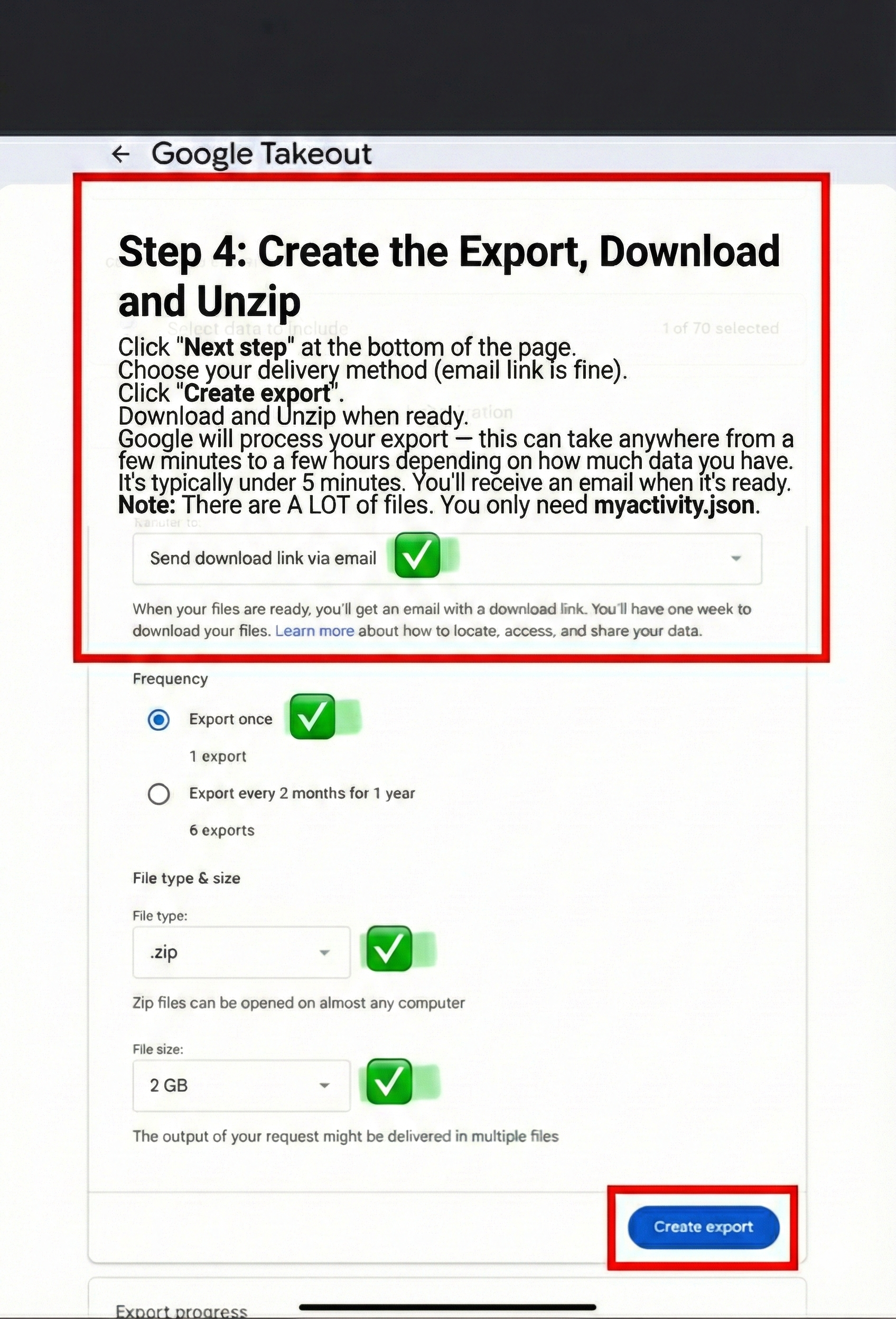
[ ] Create export and wait for email
[ ] Download, unzip, find
MyActivity.json[ ] Upload to Memory Forge with Gemini selected
Still Stuck?
We're here to help. Email us at support@pgsgroveinternal.com. We are a small team, and try to respond to all support emails within 24-48 hours.
Last updated: January 2026